I Got Tired of Typing process.env, So I Built a VS Code Extension
I built a VS Code extension that automatically generates TypeScript definitions for environment variables, with autocomplete, type hints, and support for predefined values.
There’s something annoying about using environment variables in TypeScript.
You spend all this time making your application type-safe, and then you write:
process.env.PORT
And TypeScript basically says:
Sure, that’s a string. Or undefined. Good luck.
You can manually declare your environment variables, of course.
But now you’ve got two things to maintain: your .env file and your TypeScript definitions.
Change one, forget the other, and suddenly your types are lying to you.
So I built a VS Code extension to automate it.
It’s called TS Env Typings.
Type your environment variables automatically
The idea is simple.
You already have a .env file:
PORT=3000
NODE_ENV=development
DATABASE_URL=postgresql://localhost:5432/app
Why should you have to write separate TypeScript declarations for those variables?
With TS Env Typings, you configure the extension once, and it generates the definitions for you.
First, install Node.js types if your project doesn’t already have them:
npm install -D @types/node
Then install the TS Env Typings extension from the VS Code Marketplace.
Create an env-typings.json configuration file in your project’s root directory and point it at your development .env file:
{
  "path": "./config/dev.env"
}
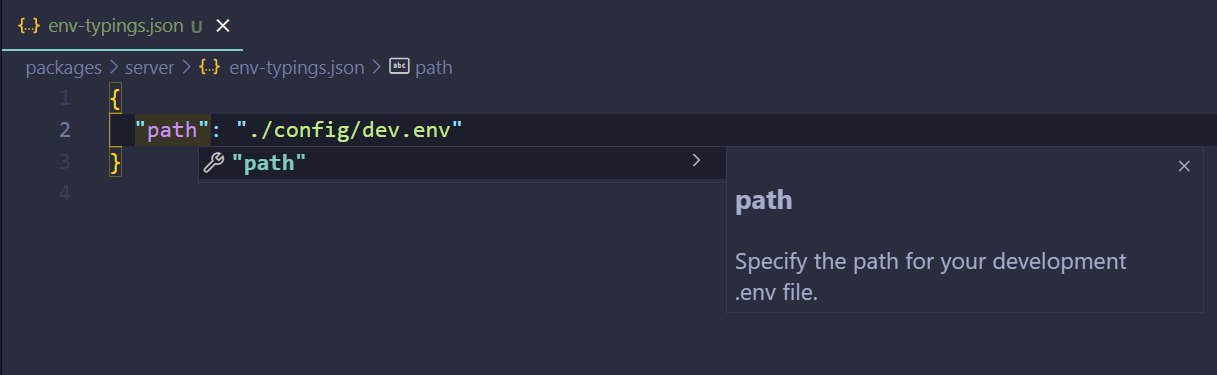
The extension uses that file to generate TypeScript definitions for your environment variables.
Now, when you type:
process.env.
You get autocomplete for the variables you’ve defined.
No more manually maintaining declarations.
It even understands what your variables look like
Here’s the fun part.
Environment variables are strings at runtime, but they don’t all represent strings.
For example:
PORT=3000
NODE_ENV=development
PORT looks like a number.
And NODE_ENV probably has a limited set of possible values.
The extension spots numeric values and shows a useful hint in IntelliSense.
So when you’re working with a numeric environment variable, it reminds you to parse it before using it as a number.
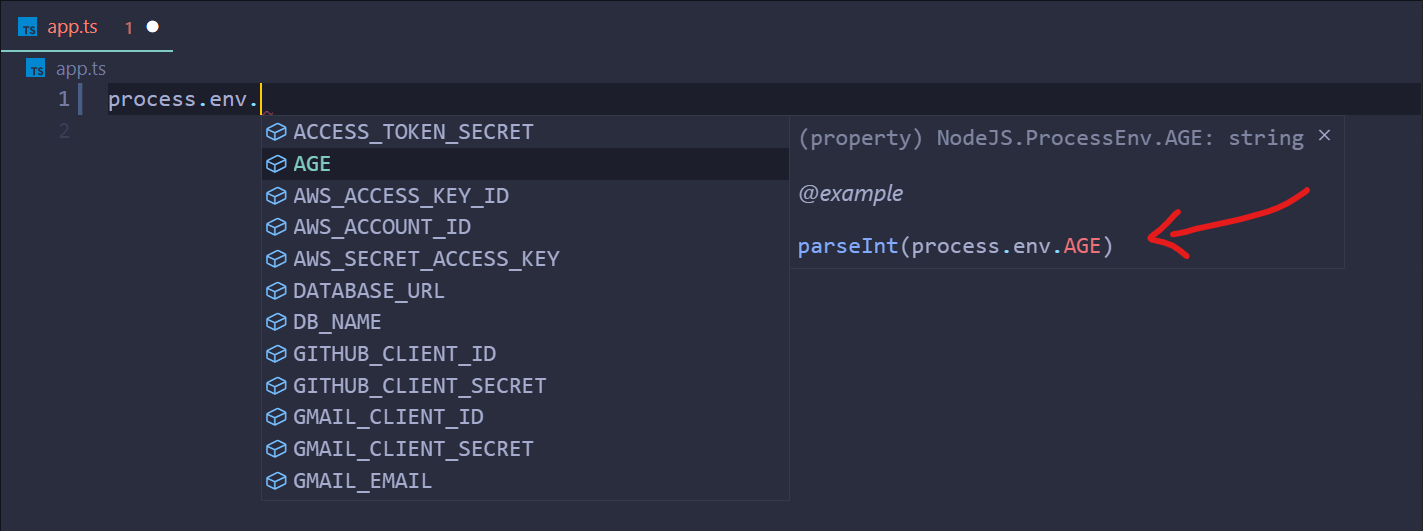
It’s a small thing, but it’s much nicer than remembering which variables need parsing every time you use them.
And importantly, the extension doesn’t magically change the runtime types. Environment variables are still strings. The hints help you use them correctly.
You can define allowed values too
Some environment variables should only accept specific values.
Take NODE_ENV, for example.
You might want:
NODE_ENV=development # variants: development | production | testing
The extension supports a variants comment that lets you specify the possible values, separated by |. Quotes around the values are optional.
It then uses those values to generate more precise TypeScript definitions and IntelliSense suggestions.

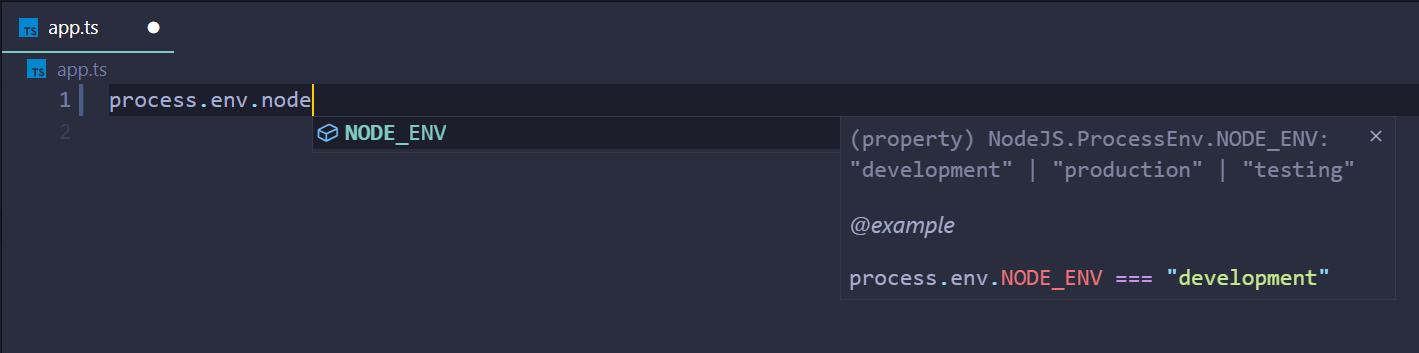
You can also configure where the generated definitions are written, so they fit your project’s structure:
{
  "path": "./config/dev.env",
  "output": "./src/types/declarations"
}
Why I built it
I like TypeScript because it catches mistakes before they become runtime problems.
But type safety gets a lot less useful when you have to manually keep your types synchronized with configuration files.
And environment variables are exactly the kind of thing developers forget to update.
So rather than writing the same declarations again and again, I wanted my editor to handle them.
Your .env file already knows which variables exist. Your TypeScript definitions shouldn’t need to be told twice.
That’s TS Env Typings.
A small extension solving a small annoyance.
Sometimes those are my favorite things to build.
Originally published on dev.to on December 5, 2021, and updated December 9, 2021. This article describes the original TS Env Typings extension. Features, installation instructions, and compatibility may have changed since publication. The code is on GitHub.